When your phone shows No Service, you can still get a message out—if you know which satellite option your device supports and how to trigger it. Today, smartphones connect to satellite networks in three practical ways: built-in satellite features on some phones (best for emergencies), carrier “direct-to-cell” satellite service (best for everyday texting in dead zones), and add-on satellite communicators (best for reliable off-grid travel).
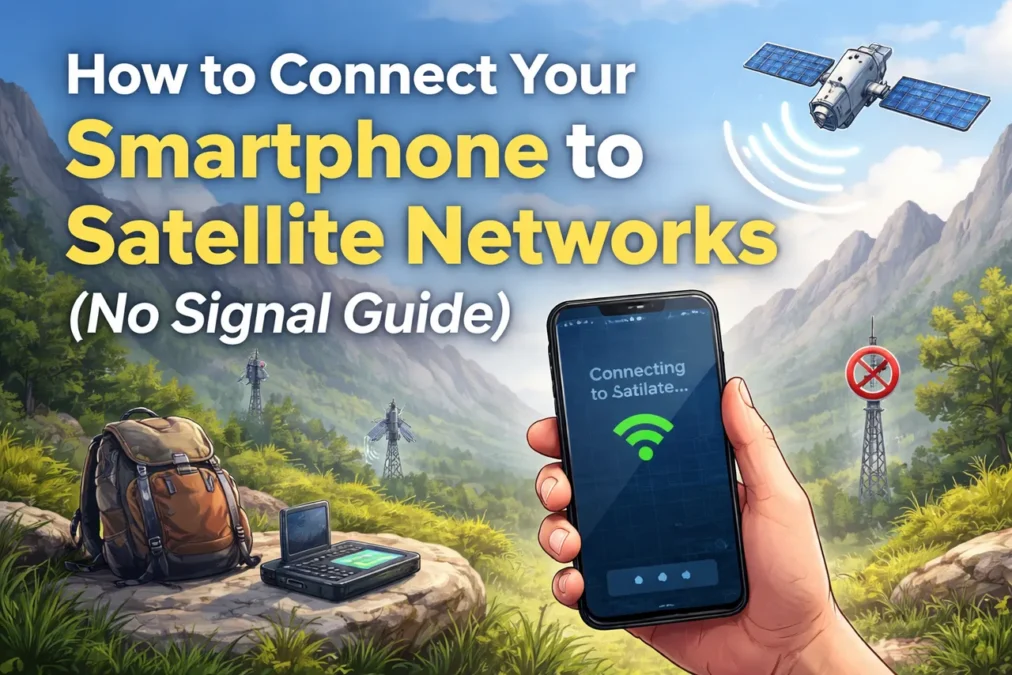
This guide walks you through each path in plain English, so you can go from no bars to message delivered with fewer surprises, less battery drain, and a much higher success rate.
Why “No Signal” Doesn’t Always Mean “No Connection”
Your phone normally talks to nearby cell towers. Satellites sit far away, move fast, and require a clear view of the sky. That difference explains most “it didn’t work” stories.
Cell service can fail because you are in mountains, deserts, offshore, rural highways, storms, or indoor concrete buildings. Satellite can still work outdoors, but it needs space above you. Trees, canyon walls, tall buildings, and even holding your phone the wrong way can block the link.
So the goal is simple: get your phone into a satellite-ready mode and give it a clean sky view long enough to send.
Step One: Confirm Which Satellite Option Your Phone Actually Has
Before you change settings, decide which of these three categories fits your situation.
Option A: iPhone built-in satellite features (emergency and limited messaging)
If you have iPhone 14 or later, you may have Apple’s satellite connection features, depending on your country/region and your software version. Apple supports satellite connections for Emergency SOS, plus other features like messaging friends/family and location sharing in supported regions.
This is not “normal internet.” It’s designed to get short messages through when you have no cellular and no Wi-Fi.
Read Also: AI-Driven Cybersecurity for 5G Networks and Satellite Internet 2026
Option B: Carrier “direct-to-cell” satellite service (everyday texting in dead zones)
Some carriers now offer a service that connects compatible phones to satellites automatically when you lose terrestrial signal. In the US, T-Mobile’s Starlink-powered service (“T-Satellite”) is one example, focusing on texting and select apps where you can see the sky.
This category aims to feel like “bars come back,” at least for basic messaging.
Option C: Add-on satellite devices (most reliable for remote travel)
If your phone has no satellite capability and your carrier does not offer direct-to-cell coverage where you are, an add-on satellite communicator can bridge the gap. Your phone connects to that device via Bluetooth, and the device connects to satellites. It’s extra gear, but it is often the most dependable option for hikers, overlanders, offshore boaters, and remote job sites.
This article focuses on smartphone-based satellite connection first, then covers add-ons as a backup plan.
iPhone: How to Connect to a Satellite When You Have No Bars
Apple’s satellite features are built for the moment when you cannot reach help through normal networks.
What you need (so it works the first time)
You generally need:
- iPhone 14 or later
- A supported region/country
- A compatible iOS version for the feature you’re trying to use
Apple’s Emergency SOS via satellite flow also encourages you to try a normal emergency call first, because your iPhone may still route it through any available network.
How to get a clean satellite link
Walk a few steps away from walls, vehicles, and heavy tree cover. Face an open area. Keep your phone charged. Turn off Low Power Mode if it aggressively restricts background functions, but don’t waste time changing ten settings. The fastest wins come from the environment: open sky, steady hands, and patience.
Read Also: Migrating to AI-Native Networks: A Guide for Mid-Sized Enterprises
How the connection process feels in real life
When you start a satellite feature, the phone guides you to point it toward a satellite. Think of it like aligning a flashlight beam with a moving target. You do not need perfect aim, but you do need consistency. If you move too much, walk under branches, or step beside a rock wall, the connection drops.
Emergency SOS via satellite: use it correctly
If you truly have an emergency and cannot connect by cellular or Wi-Fi, use Emergency SOS via satellite. Apple’s own guidance notes that you should try calling emergency services first even if your normal carrier is unavailable, then use the satellite texting path if the call does not connect.
Once you start, answer the prompts quickly and clearly. Short, factual details send faster. “Broken ankle. Cannot walk. One person. Need rescue.” beats long explanations.
Direct-to-Cell Satellite: When Your Phone Texts Even Without Towers
This is the big shift: you keep using your phone, but it quietly talks to satellites when towers disappear.
What direct-to-cell is (in simple terms)
Instead of using a special satellite phone, your regular smartphone connects to a satellite that behaves more like a “tower in the sky.” It still has limits—speed, latency, and coverage constraints—but it can carry texts, location, and lightweight app data in supported setups.
Example: T-Mobile’s Starlink service
T-Mobile describes its satellite phone service as texting and select satellite-ready apps in outdoor areas where you can see the sky, with performance limits and possible delays, and notes it can include text-to-911 in supported conditions.
The key idea is automatic switching. When you lose terrestrial signal, the phone may enter a satellite mode for basic connectivity.
What you should do when it doesn’t connect
Most failures come from one of these realities:
- You’re indoors or under heavy cover.
- You’re in a steep canyon or between tall buildings.
- You’re trying to send photos or heavy data when the service only supports basic messaging.
- Your device or plan is not eligible.
Fix the sky view first. Then simplify the message. If you’re trying to send a photo, switch to a short text and test again.
“Select apps” matters more than people think
Some satellite services now support specific lightweight apps and functions, not full browsing. Reuters reported T-Mobile expanded its satellite-to-cell service to support a set of major apps and data-light features, beyond basic SMS.
So if your messaging app fails, try plain SMS or the carrier’s recommended flow. In dead zones, the simplest path wins.
Read Also: Zero Trust Architecture Explained: What Zero Trust Security Is and How the Model Works
Android and Snapdragon Satellite: What to Expect
Android satellite support varies more than iPhone because it depends on the phone maker, chipset, carrier, and region.
One approach involves partnerships that enable satellite messaging and SOS capabilities on Snapdragon-based devices. For example, Skylo announced satellite connectivity support for Snapdragon-equipped smartphones aimed at messaging, location sharing, and SOS.
The practical takeaway is this: you can’t assume all Android phones support satellite, even if the feature exists in the ecosystem. You must confirm your model, region, and carrier support.
Real-World Performance: What Satellite Messaging Can and Can’t Do
Satellite connections can feel magical when they work, then frustrating when you expect them to behave like LTE.
What works well
Short texts. Location sharing. Emergency check-ins. Lightweight, “store-and-forward” messaging.
What struggles
Large attachments. Live video. Long voice calls. Dense city streets with tall buildings. Deep forests. Tight valleys.
That said, direct-to-cell networks keep improving. AT&T has described a successful satellite video call test with AST SpaceMobile over AT&T spectrum, which shows where this is heading long-term, even if consumer availability and experience still vary by market.
AST SpaceMobile also highlights milestones like native voice calls and SMS over satellite using standard phones in its public journey updates.
In other words, the future points toward broader capabilities, but today you should treat satellite as a lifeline and backup, not your primary internet.
Read Also: Zero Trust Security Explained: What Is a Zero Trust Network? Complete Guide
The “No Signal” Playbook That Works Almost Everywhere
When you need to connect fast, you want a repeatable routine.
Start by switching your mindset from “my phone is broken” to “my phone needs a clear sky window.”
Step into an open area. Move away from cliffs, walls, and vehicles. Raise the phone slightly and keep it steady. If the phone shows satellite guidance, follow it slowly. If you use a carrier satellite service, wait a little longer than you think you should—satellite links can take extra seconds to lock.
Then send the simplest message possible. Confirm delivery before you waste battery trying again.
If you have to choose between sending one perfect message and ten partial ones, choose one perfect message every time.
Safety, Privacy, and Cost: What People Forget Until It Matters
Satellite features often involve emergency routing partners, carrier systems, or third-party satellite operators. That does not mean it’s unsafe, but it does mean you should treat satellite messages as important communications and keep them factual.
Costs also vary. Some emergency features may be included for a period or bundled with certain plans, while direct-to-cell services may be add-ons. T-Mobile notes plan-based inclusion or monthly pricing for its satellite service and emphasizes limitations in speeds and app support.
So before a trip, check eligibility once, not in the middle of nowhere.
Best Practices Before You Travel Off-Grid
If you want satellite connectivity to work when it counts, you prepare a little.
Update your phone software. Satellite features often require newer iOS versions or carrier updates. Apple’s support pages list iOS requirements for Emergency SOS via satellite and show that features vary by region.
Save key contacts. Enable location services. Learn where the satellite feature lives in your settings. Do a quick dry run while you still have coverage, so you recognize the screens later.
And if you routinely work beyond coverage—field inspections, remote construction sites, offshore jobs—consider a dedicated satellite communicator as a professional tool. It’s not overkill if it prevents a lost day, a missed pickup, or a serious safety risk.
Read Also: What is Zero Trust? – Guide to Zero Trust Security
Troubleshooting: When It Still Won’t Connect
If you tried everything and the phone still won’t connect, one of these is usually true:
You are not in a supported region for that feature. Apple explicitly ties availability to country/region for iPhone satellite features.
Your phone model does not support it. “Looks like an iPhone” is not enough; iPhone 14 or later is the line Apple calls out for satellite features.
Your carrier plan is not eligible, or your device isn’t on the supported list for direct-to-cell service. Carriers publish eligible device lists and plan requirements for satellite add-ons.
Or you simply do not have a clean view of the sky. In that case, moving 20 meters can do more than toggling ten settings.
What “Satellite Networks” Will Look Like Next
Satellite-to-phone is moving from emergency-only to everyday coverage. You can see it in carrier rollouts and operator milestones. Reuters reported T-Mobile’s satellite service expanded beyond SMS into select apps, enabled by platform frameworks that allow apps to access satellite connectivity in a controlled way.
AT&T and AST SpaceMobile have publicly shared successful tests, including a satellite video call over AT&T spectrum, pointing toward richer services over time.
This direction matters because it changes how people plan for remote travel, disaster readiness, and rural work. It also changes expectations. Soon, “No Service” may no longer mean “No contact.” It may just mean “basic mode.”
Read Also: Top Cloud Security Solutions for Telecom and 5G Enterprises in US 2026
Final Thoughts: The Simple Rule That Saves You
If you remember one thing from this How to Connect Your Smartphone to Satellite Networks (No Signal Guide), remember this: satellite works when you give it sky and keep your message simple.
Start by identifying which satellite path your phone supports—built-in iPhone satellite features, carrier direct-to-cell, or an add-on communicator. Then step into open space, follow the on-screen guidance slowly, and send short, clear messages.
That approach turns satellite from a confusing feature into a reliable backup—and it’s exactly what you want when bars disappear.