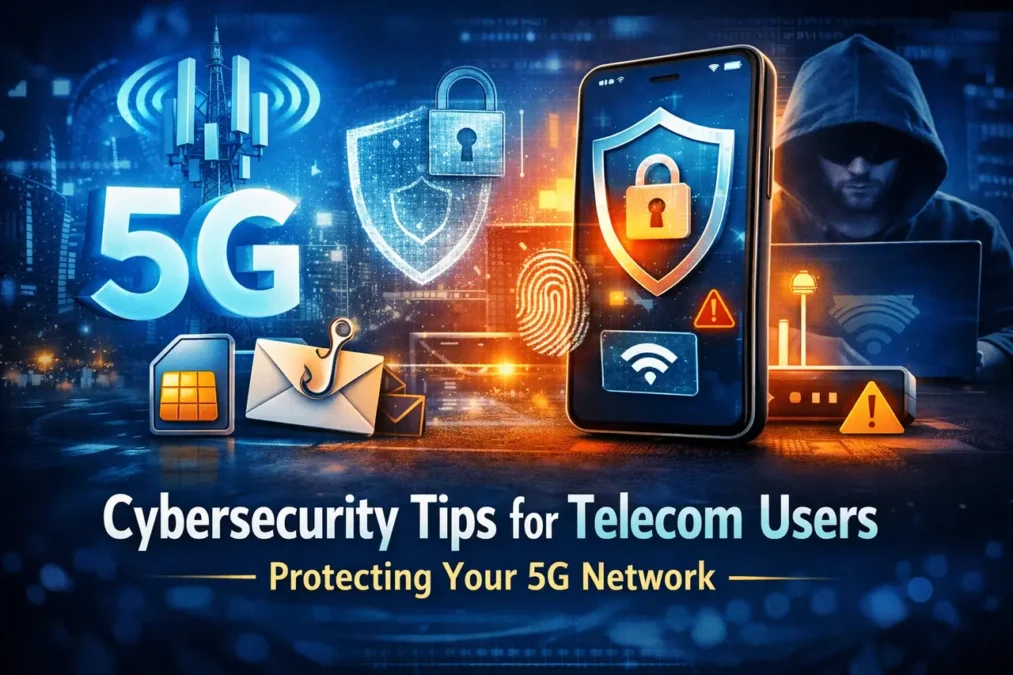
If you want to protect your 5G life, start with the basics that attackers target most: your phone number, your carrier account, and the device in your hand. The biggest real-world wins come from blocking SIM swap and port-out fraud, moving away from SMS login codes, keeping your phone and apps updated, and using end-to-end encrypted messaging for anything sensitive. These steps are simple, fast, and proven to cut risk because they break the most common “easy entry” paths used in telecom cybersecurity incidents.
What “telecom cybersecurity” means for everyday 5G users
Telecom cybersecurity can sound like something only carriers worry about—core networks, towers, and national infrastructure. But for a 5G user, it’s much more personal. It’s the security of your mobile identity (your number), your communications (texts, calls, messaging apps), and your connected world (banking, shopping, smart devices, work accounts).
In practice, most people don’t get “hacked through 5G speed.” They get pulled in through account takeovers, social engineering, weak login habits, and outdated devices. Your 5G connection is just the highway. The real question is whether your doors are locked.
Why 5G changes the risk picture (and what it doesn’t change)
5G brings better performance and new architecture choices, plus large growth in connected devices. That expands the “digital surface area” around you: more apps, more accounts tied to your number, more smart devices, more services that assume your phone equals “you.”
On paper, 5G also improves privacy protections compared to older generations, including methods designed to better conceal long-term subscriber identifiers over the air. ENISA describes how 5G specifications include measures aimed at subscriber identity protection and even discusses detection approaches for certain fake base station behaviors.
But the key point for users is simple: even with better standards, attackers still go after the easiest wins—getting control of your number, tricking you into handing over codes, or exploiting poor device hygiene. In other words, your habits still matter more than your signal bars.
Read Also: Unlock Your Assurance Wireless Connection: The Essential APN Settings Guide
The attacks telecom users keep running into
SIM swap and port-out fraud
This is the modern “master key” attack. A criminal convinces (or tricks) a carrier into moving your number to a SIM they control. Once they have your number, they can intercept one-time codes, reset passwords, and take over accounts. The GSMA explains how SIM swap can lead to broader “whole life takeovers” when email and financial accounts follow.
Regulators have treated this as a serious consumer protection issue. The FCC has documented SIM swapping and port-out fraud risks and actions intended to reduce them, including customer notifications and stronger controls.
Interceptable communications
SMS texts are not end-to-end encrypted. CISA explicitly warns that SMS is not encrypted and can be read by an actor who can intercept it at the provider level.
That does not mean you should panic. It means you should treat SMS like a postcard: fine for basic updates, not ideal for secrets.
Phishing that looks like “carrier support”
Many telecom attacks begin with a message that feels routine: “Your bill failed,” “Your eSIM needs activation,” “Your account will be closed,” or “Confirm your identity.” Attackers win when you react fast instead of verifying slowly.
Rogue or fake base stations in the real world
False base stations (often called IMSI catchers or rogue towers) are a known category of risk across generations, including 5G in certain scenarios. CableLabs explains how these tools enable passive and active attacks against mobile subscribers by exploiting weaknesses in radio access networks across generations.
For most people, the bigger day-to-day risk is still account takeover—not exotic radio attacks. But if you’re in a higher-risk role or travel often, it’s smart to reduce how much sensitive content you send over non-encrypted channels.
Read Also: Top Mobile Data Plans for Android and iPhone Users in 2026
Step one: lock down your mobile number (the fastest telecom cybersecurity win)
Think of your phone number as a skeleton key to your digital life. Protecting it is not optional anymore.
Start by adding a carrier account PIN or passphrase. CISA’s mobile communications best practices highlight setting a telco PIN and adding strong authentication to carrier accounts to reduce SIM swapping risk.
Next, use any carrier features that restrict number transfers. Depending on your provider and country, this may be called a “port-out lock,” “number lock,” “transfer freeze,” or “extra verification.” The goal is the same: even if someone knows your personal details, they still can’t move your number without an additional control.
Finally, turn on alerts for SIM changes, eSIM activations, or port-out requests. FCC actions have emphasized notifying customers when SIM changes or port-out requests are made, because speed matters in stopping fraud.
Stop treating SMS codes as “secure”
SMS codes feel convenient, but they’re fragile when your number is the target. CISA’s guidance is blunt about migrating away from SMS-based multi-factor authentication and using stronger, phishing-resistant options where possible.
What does “stronger” look like in everyday life?
Use an authenticator app for your most important accounts (email, banking, cloud storage, social platforms). If passkeys are available on a service, prefer them. If you use hardware security keys, even better—especially for your primary email.
If you can’t move away from SMS everywhere, be selective. Keep SMS codes only on low-risk accounts, and prioritize upgrading security on the accounts that can reset other accounts—your email, Apple ID/Google account, password manager, and banking.
Harden the device that sits on the 5G network
Your phone is your 5G gateway. A secure phone turns many attacks into dead ends.
NIST’s mobile device security guidance stresses the importance of managing device updates, controlling configuration, and reducing exposure from lock-screen bypass risks and other common mobile threats.
Here’s how that translates to user behavior:
Keep your operating system updated, not “eventually.” Patch delays are a gift to attackers.
Use a strong screen lock. A longer passcode beats a short PIN. Turn off convenience features that expose sensitive data on the lock screen, like message previews and quick actions you don’t truly need.
Install apps carefully. Stick to official stores. Be skeptical of “carrier tools” and “speed boosters.” If an app wants permissions that don’t match its purpose, that’s a signal.
Back up your device and enable remote wipe. Theft and loss are still common causes of compromise, and fast recovery matters.
Read Also: Best Wi-Fi Routers for Rural Areas: 2026 Buying Guide
Protect your conversations: choose end-to-end encryption for sensitive topics
CISA recommends using end-to-end encrypted communications for secure messaging.
This single choice changes your risk profile. It reduces how much you rely on the telecom layer for confidentiality and shifts more protection into the app itself.
Use end-to-end encrypted messaging for anything that would hurt if exposed: financial details, account recovery steps, identity documents, private business conversations, or travel plans. Even if you trust your carrier, it’s smart to assume messages can be intercepted somewhere along the route.
Also, tighten up your account recovery habits. If your messaging app supports a registration lock or extra PIN, enable it. That can prevent an attacker with your number from simply re-registering and hijacking chats.
Safer browsing on 5G, public Wi-Fi, and while traveling
5G tempts you to do everything everywhere. That’s great—until you’re rushed in an airport, tired in a hotel, or distracted in a café.
When you’re on public Wi-Fi, avoid sensitive logins unless you truly need them. Focus on minimizing the chance you’ll approve a malicious prompt or enter credentials on a look-alike page. NIST’s mobile guidance highlights the importance of controlling exposure and reducing common mobile attack paths tied to user behavior and configuration.
Be cautious with public charging, too. The “juice jacking” topic is often exaggerated, but modified cables and malicious charging setups do exist, and the safest habit is simple: use your own cable and charger, and never tap “Trust” on a device prompt you don’t recognize.
If you use 5G home internet, secure the gateway like a front door
More people now use 5G fixed wireless access as their main home connection. That means your router is no longer “just a box.” It’s the gatekeeper for laptops, phones, TVs, cameras, and smart devices.
CISA’s home network guidance highlights core steps like updating firmware and strengthening router security settings.
The FTC also recommends encrypting your network with WPA3 (or WPA2 if needed) and securing router settings.
The FCC provides home network tips and emphasizes keeping equipment updated and replacing old routers when updates aren’t available.
So what should you do today?
Log into your router and change the admin password first. Then rename your Wi-Fi and use a long, unique Wi-Fi password. Choose WPA3 Personal if your router supports it; otherwise use WPA2 Personal. Create a guest network for visitors and smart devices you don’t fully trust. Turn off remote admin access unless you truly need it, and disable WPS if it’s enabled. Then check for firmware updates and enable automatic updates if your router supports them.
Also, don’t keep outdated routers alive forever. NIST has emphasized the importance of secure consumer routers and the wider impact a compromised router can have on privacy and network integrity.
A calm response plan when something feels “off”
Telecom-based attacks often have an early warning sign. The most famous one is sudden loss of service—your phone can’t call or text, even though your bill is fine. That can be a SIM swap in progress.
If that happens, act fast and use a second device to contact your carrier through official channels. The goal is to freeze changes, recover your number, and stop account resets before they spread. Public consumer guidance has consistently emphasized speed, carrier contact, and quickly securing linked financial accounts.
Then change passwords for your primary email and any account that can reset other accounts. Review recent logins. Replace SMS codes with stronger sign-in methods where possible. Finally, tell your bank or card provider what happened so they can watch for takeover attempts.
Read Also: How to Fix APN Settings for Free Government Phones in 2026
Telecom cybersecurity in 2026 is mostly about identity
5G is fast. But most real damage still comes from identity compromise—someone proving they are “you” with your number, your codes, or your recovery paths.
If you take only three actions after reading this, make them these: add a carrier PIN and port protections, stop using SMS codes for key accounts, and keep your phone and router updated. Those moves don’t just improve your security. They also reduce stress, because you’re no longer one text message away from a bad week.
FAQs
In some ways, yes—standards and architectures have improved, including subscriber identity protection mechanisms described in 5G specifications. But many user-level risks (phishing, account takeover, SIM swap) are not solved by faster radio tech.
Set a carrier account PIN/passphrase and enable protections against SIM swaps and number transfers. CISA specifically calls out these steps because they block a common takeover path.
You don’t need to “stop,” but you should stop relying on SMS for security. CISA recommends moving away from SMS for multi-factor authentication and using end-to-end encrypted messaging for sensitive content.
Follow a simple routine backed by major consumer and government guidance: change default admin credentials, use WPA3/WPA2 encryption, update firmware, and replace gear that no longer receives updates.